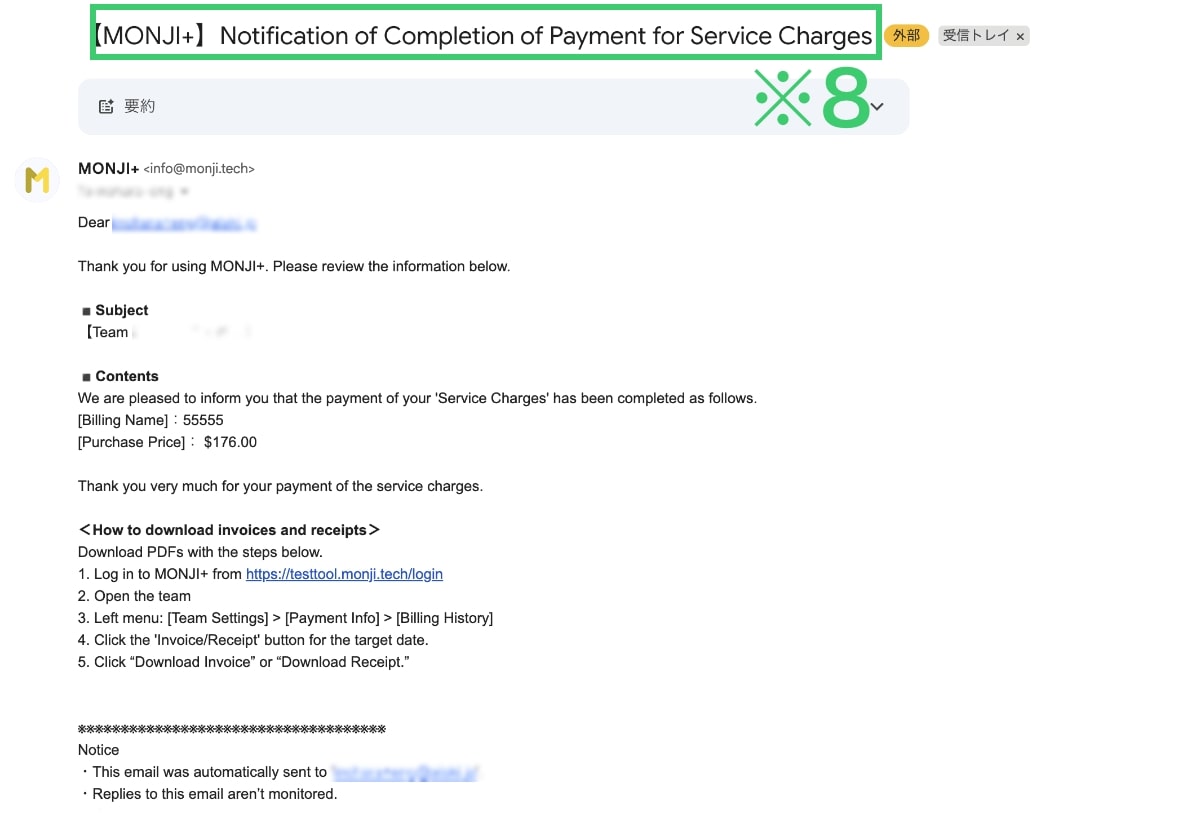








About selecting and paying for a paid plan
 About selecting and paying for a paid plan
How to Choose a Paid Plan
Only the
Administrator account can apply for a paid plan.
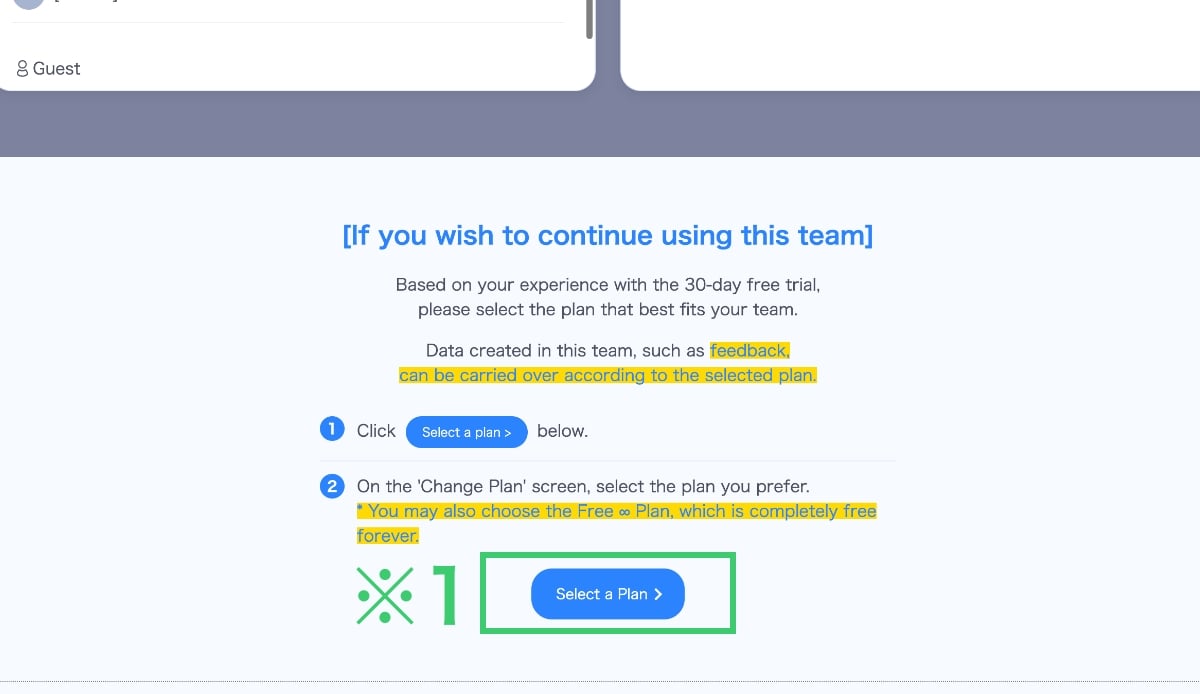
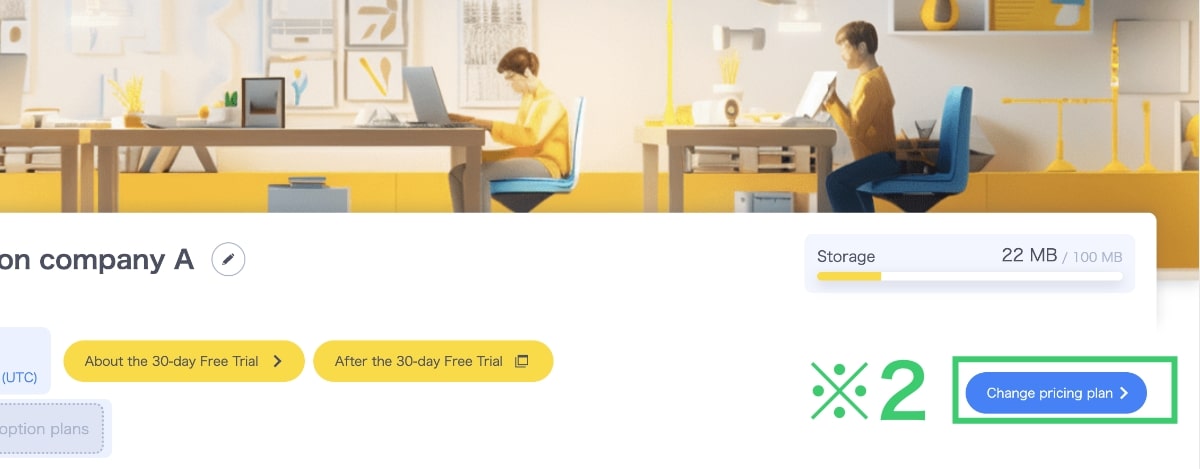

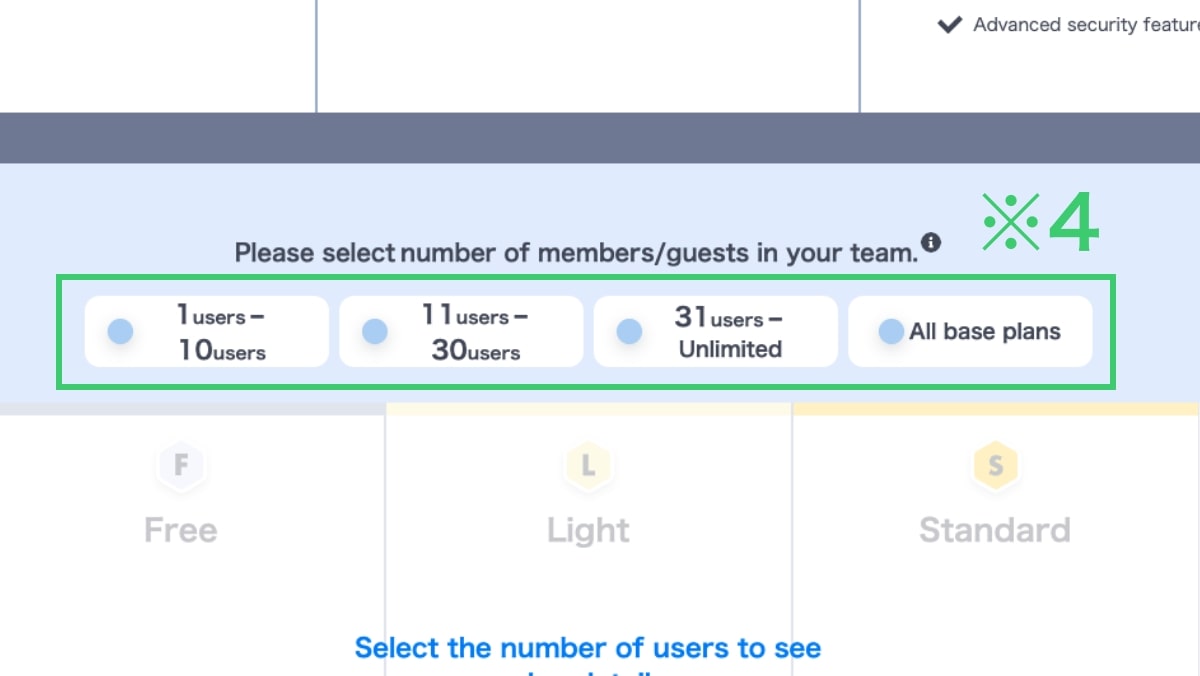
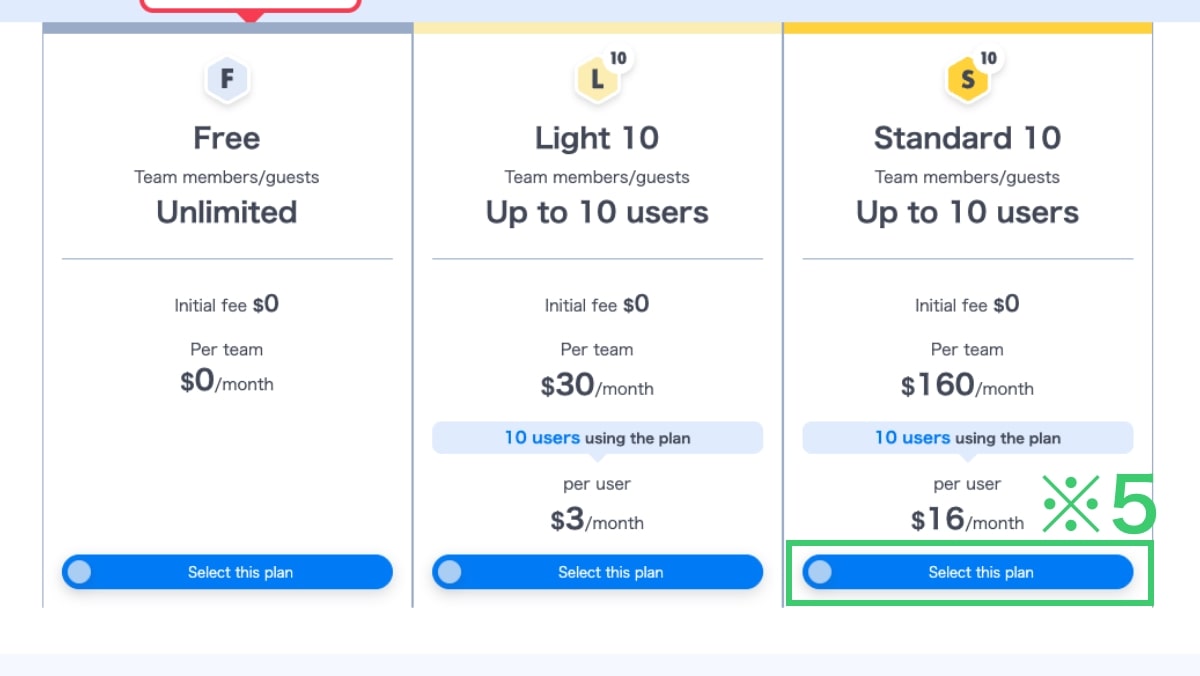
Choose Your Preferred Basic Plan
Plans corresponding to the number of members/guests selected in Step 2 will be displayed.
Click the Select This Plan button※5 for your preferred Basic Plan.
Before applying for or changing a plan, please check the currently available features, storage capacity, and pricing details carefully before making your selection.
Please note that features listed as “Coming Soon” or “Planned for Release” may be subject to change upon official launch.
※ You can also choose the permanently free plan.
You may start with the free plan to determine the most suitable paid plan for your team.
※Tap the image to view it in full size.
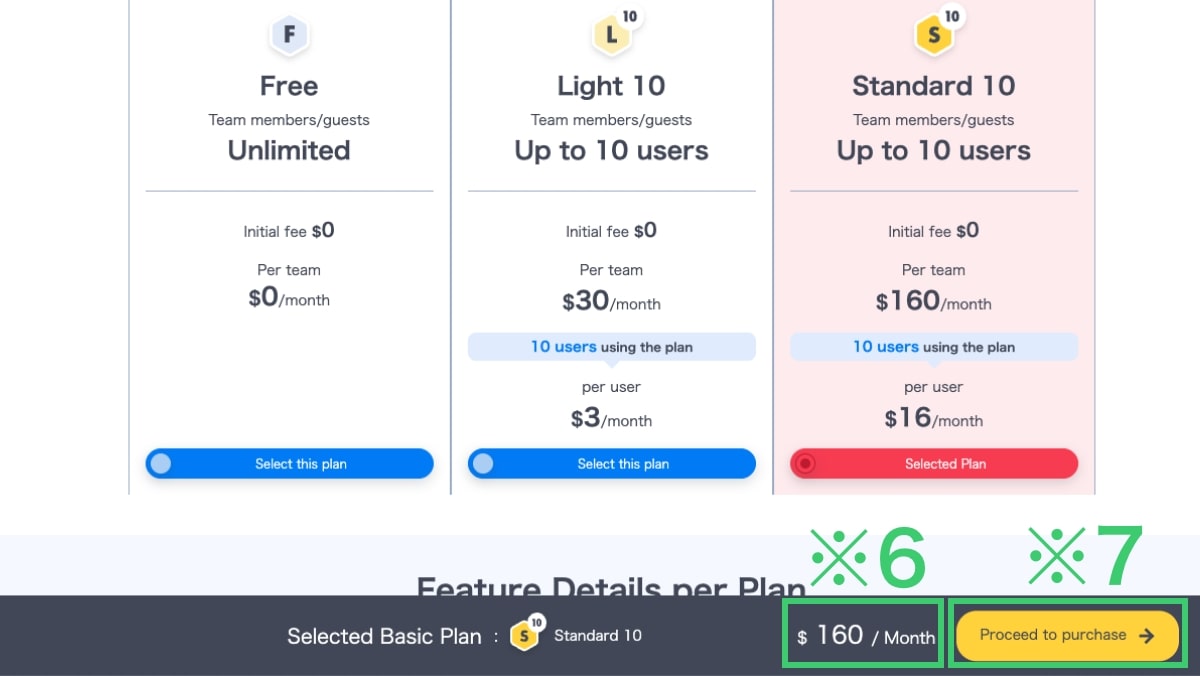
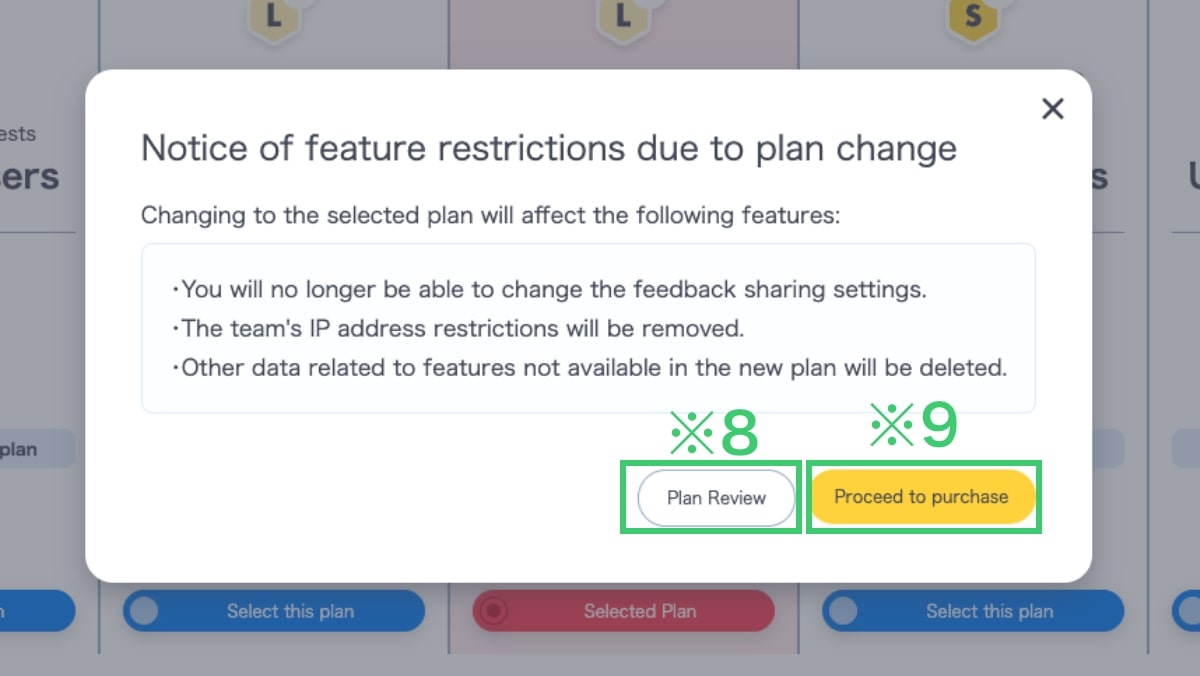
That completes plan selection. Next, proceed to payment.
Please see below for the payment flow.
Payment Flow for Paid Plans
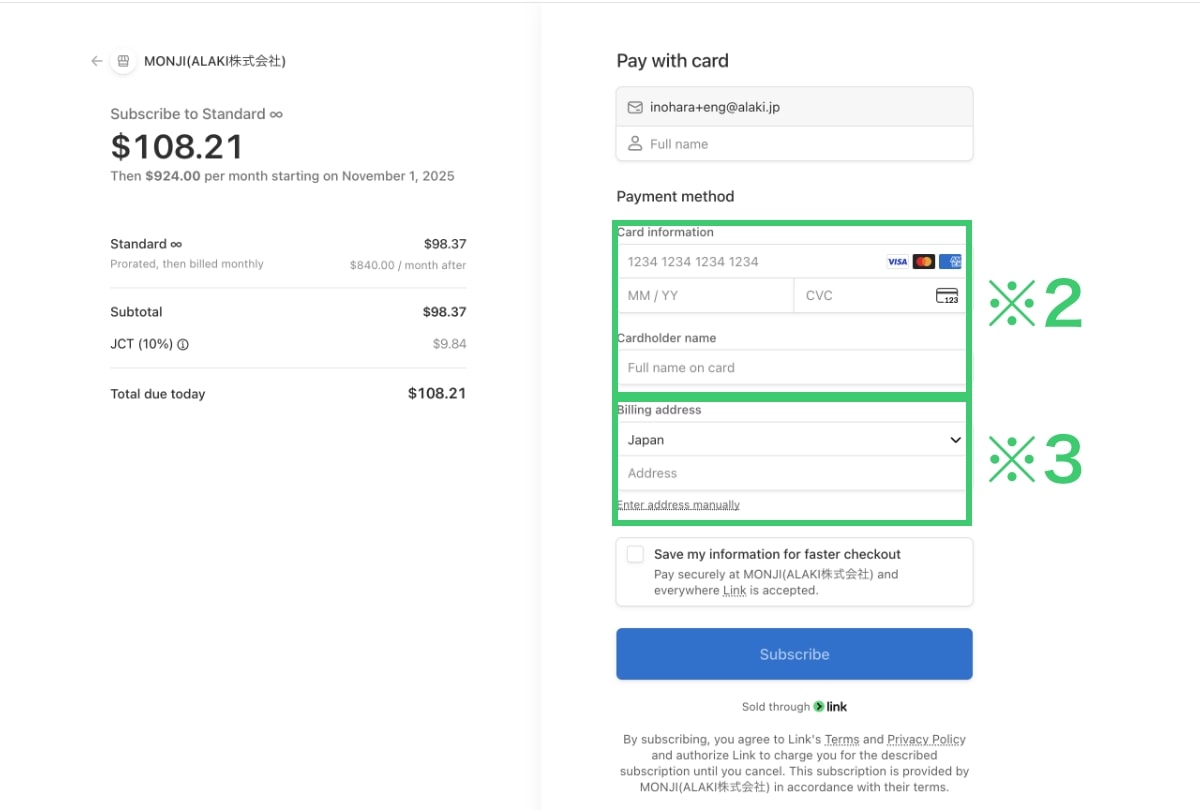
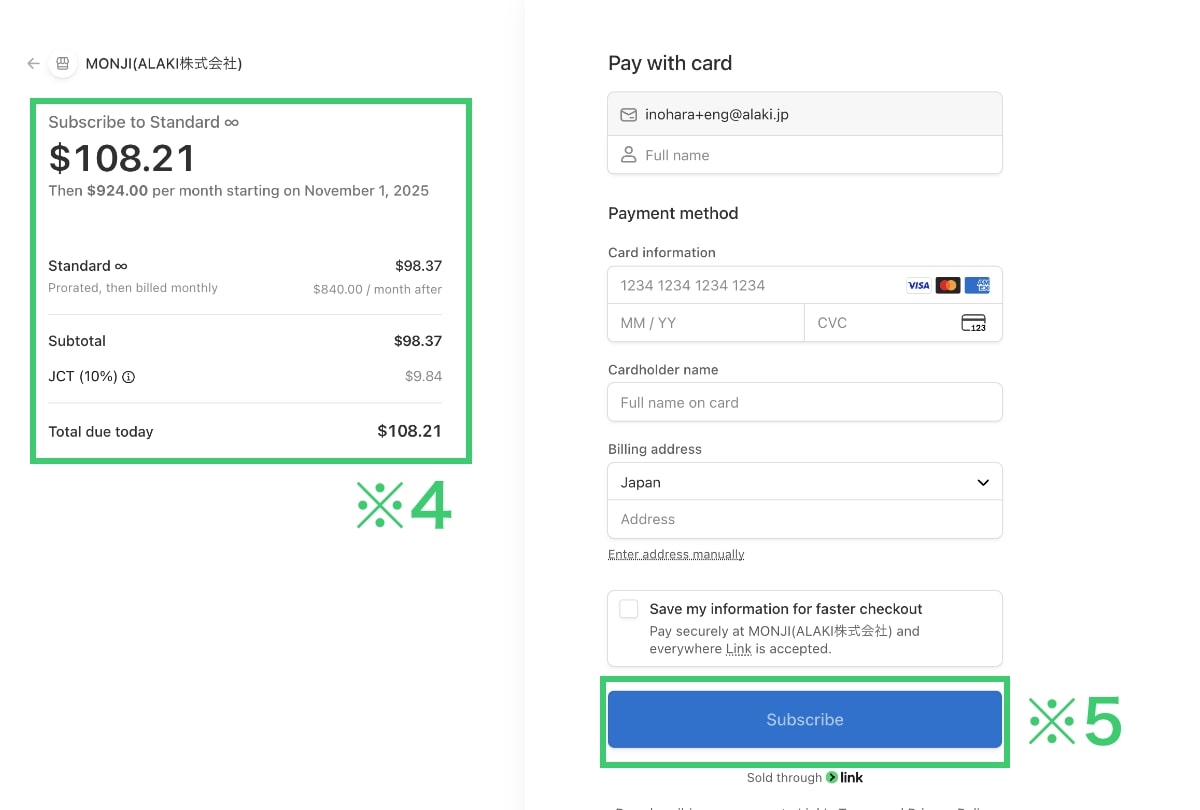
Notes about paying by credit card
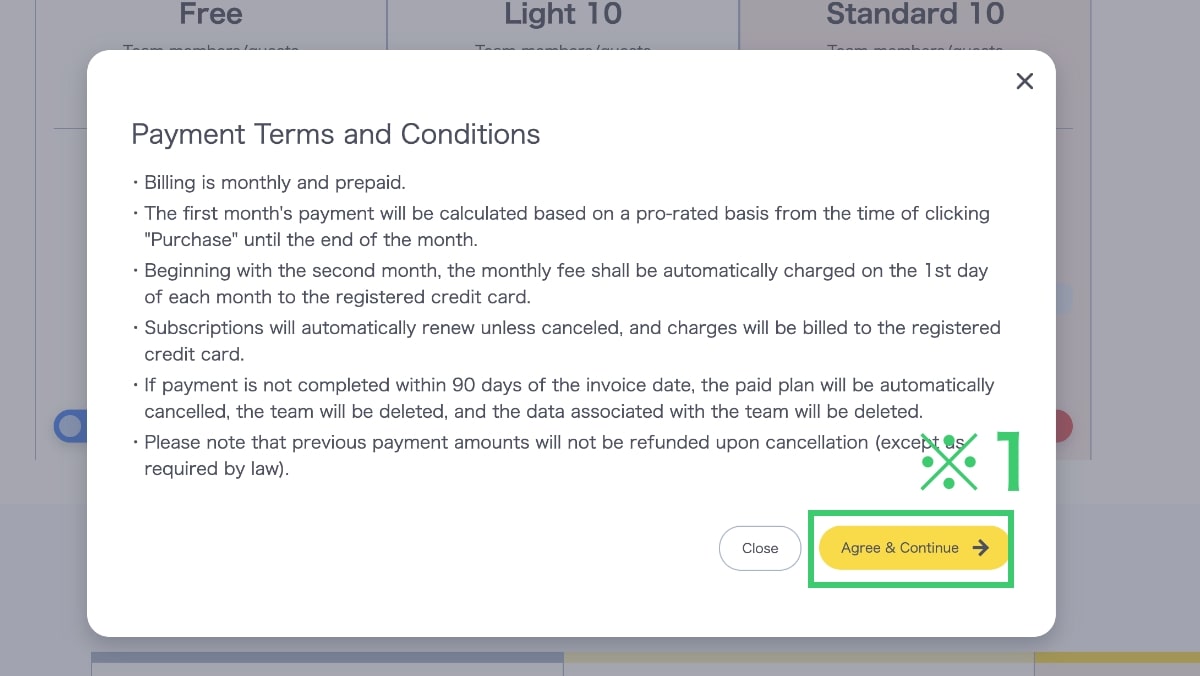
- Billing is monthly and prepaid.
- For the first month, you will be charged a prorated amount (per second) from the time you click “Purchase” until the end of the month.
- From the second month onward, the fee for that month is charged automatically on the 1st.
- Your subscription renews automatically unless canceled and is billed to the registered card.
- If payment is not completed within 90 days of invoice issuance, your paid plan, team, and team-linked data may be deleted automatically.
- Payments are non-refundable upon cancellation unless required by law.