








Website issue detection & improvement
Turn issues into Feedback instantly, and track improvements with metrics.
Build a growing knowledge base—so your workflow goes beyond one-off fixes.

No more hidden risks in your website
Prevent missed issues and fix gaps before they impactyour revenue, data, and trust
 How website issues lead to loss

E-commerce site
Revenue loss from broken product images

B2B website
Revenue loss from a 404 on request pages

Media site
Lost user data from missing analytics tags

Landing page
Lost conversion data from missing GTM tags

Public company website
Trust loss from broken IR page links

Educational institution site
Trust loss from broken contact form links
 ’s
’s
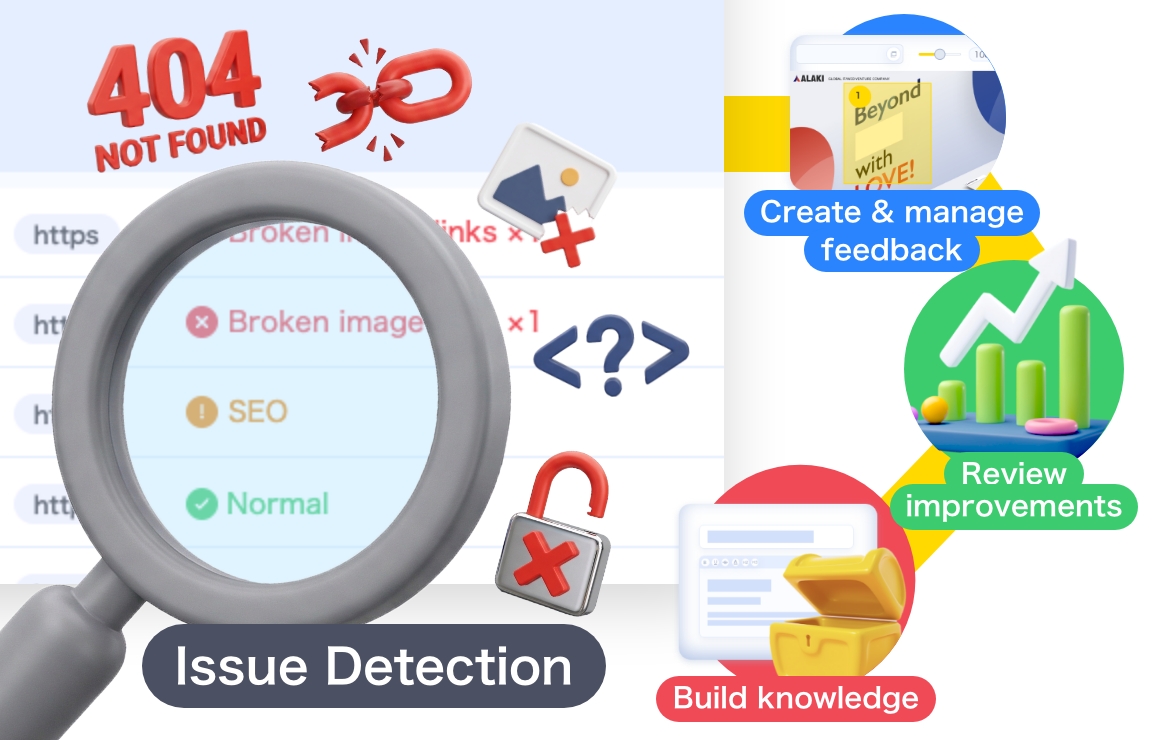
Website Issue Detection & Improvement feature
More than issue detection
From creating and responding to feedback to reviewing improvements
and building team knowledge—all in one place
Detect hard-to-spot issues
across your entire site
Just enter a URL to scan your entire site and detect issues.
Catch problems like broken links and missing SEO settings that are easy to miss manually.
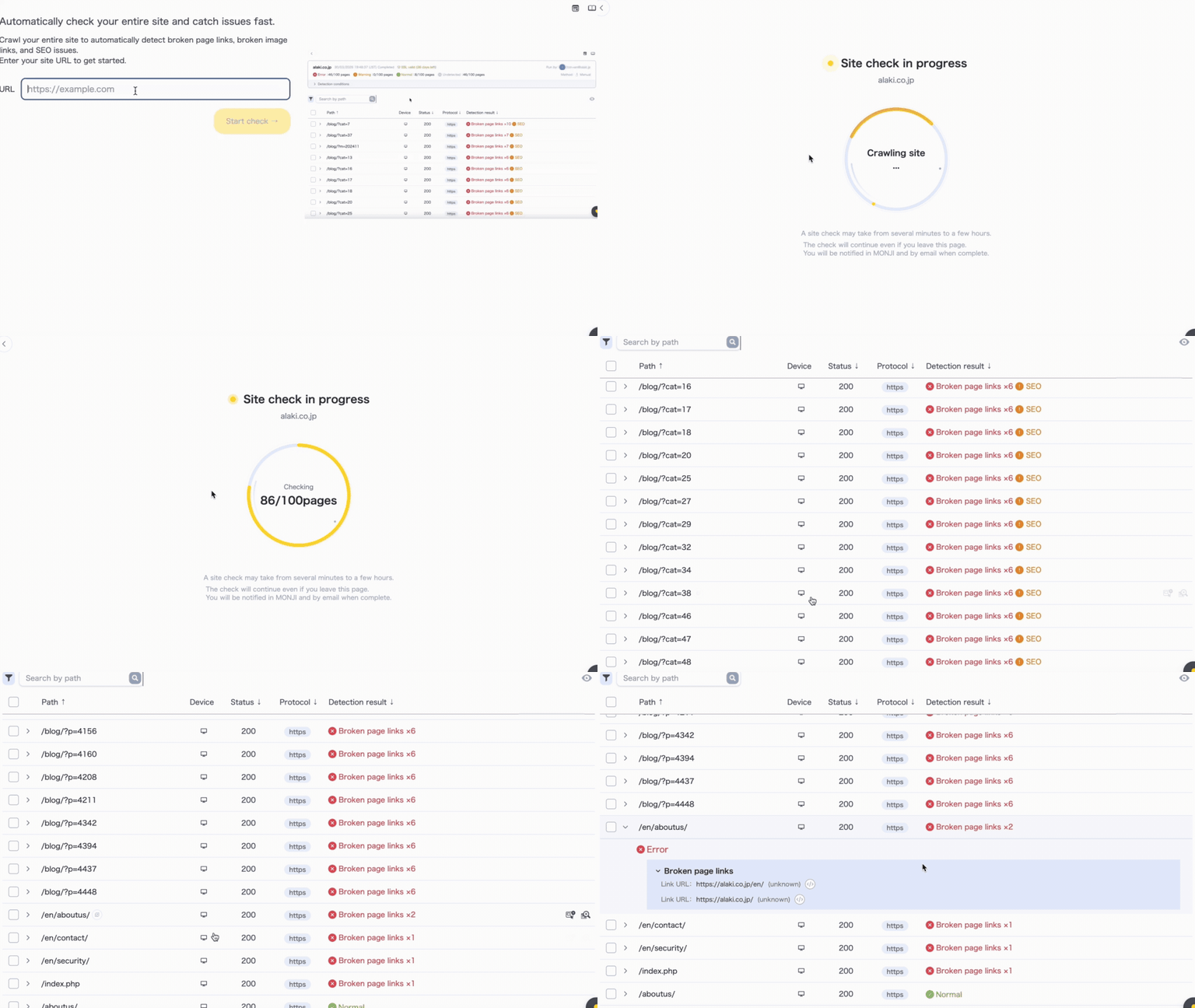
Manage everything from detection to fixes and validation
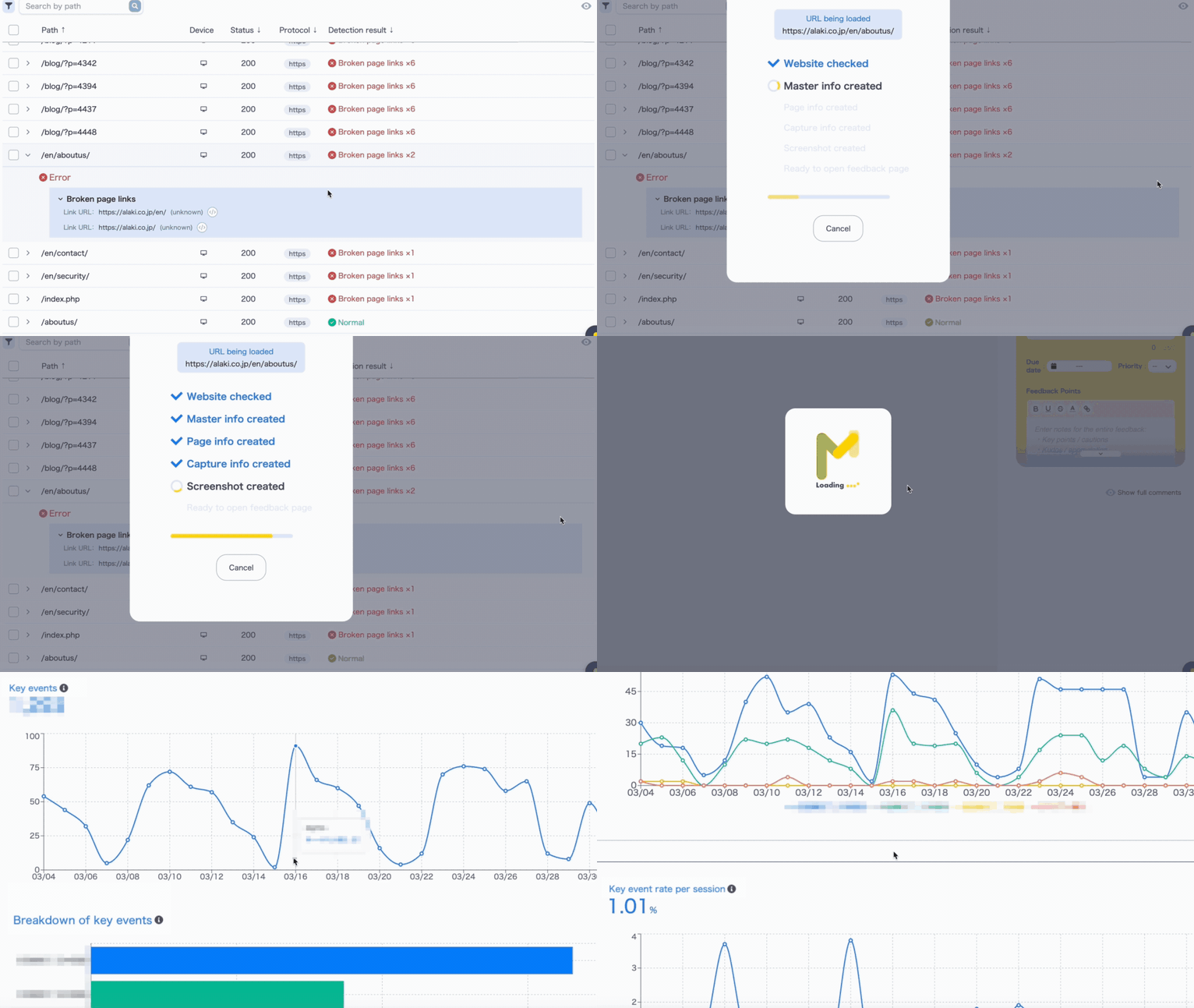
Create Feedback directly from detected issues.
After fixes, track improvements with metrics to measure impact.
Build knowledge and history
to prevent recurrence
Store detection results and fix history as operational assets.
Share knowledge via wikis to prevent the same issues from happening again.
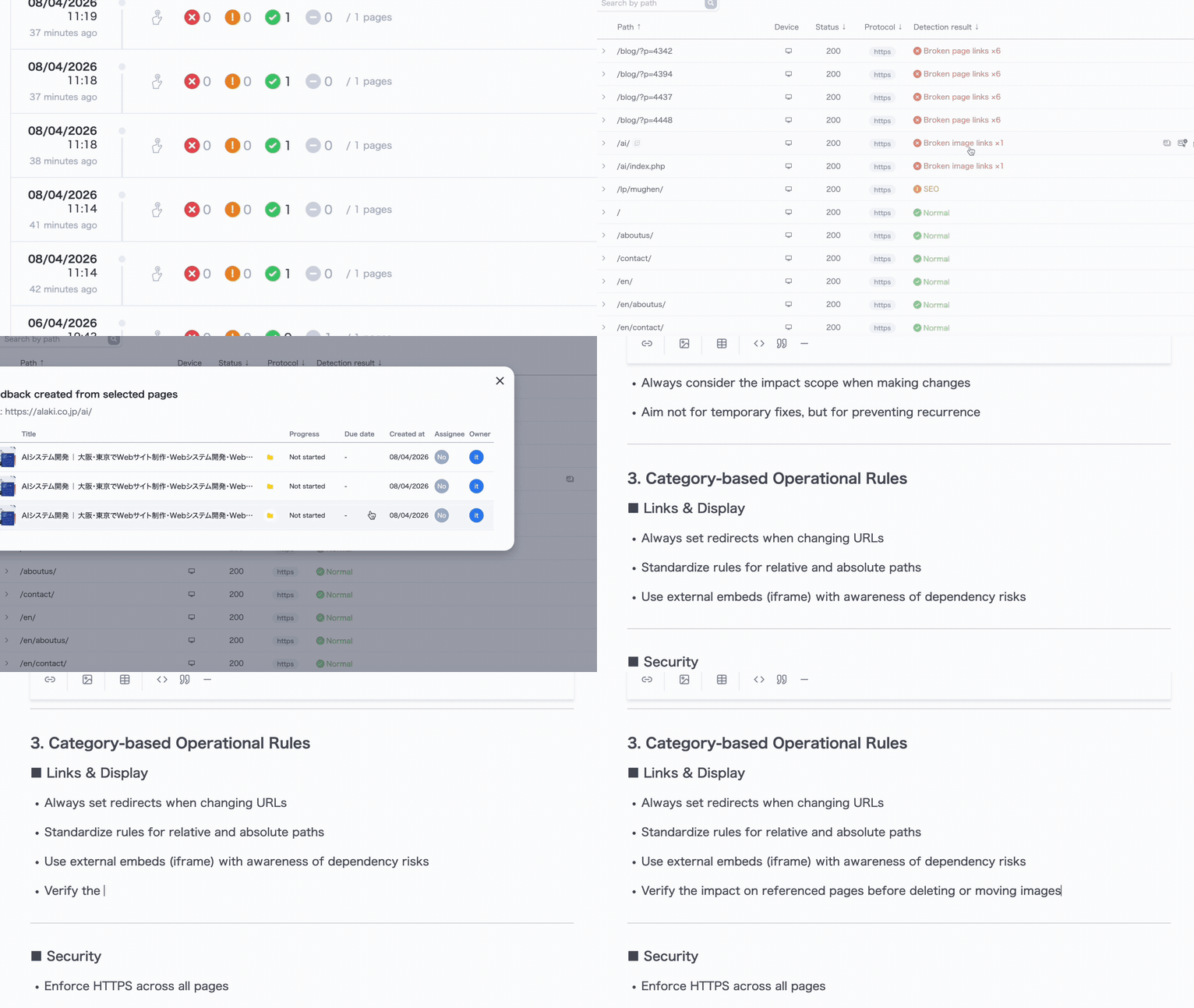
Detect common issues in website operations
11 detection checks
Link & Display Errors


Security


SEO


Tag Setup


Flexible detection settings
Built for large-scale and complex site structures
Customize detection based on your site’s size and structure. Here are some example configurations.

Detect only what matters
Toggle detection item on or off.
Focus on what matters based on your site’s goals and workflow.

Supports Desktop and Mobile
Detect issues across both Desktop and Mobile, even when content differs.
Catch broken links, image errors, and more across devices.

Supports Basic Auth sites
Check Basic Auth–protected sites, including staging and test environments.
Set credentials to access and check restricted pages.
Also works for pre-release and in-development sites.

Control which pages to scan
Use URL rules to target specific pages.
- Exclude admin directories
- Exclude search result pages
- Scan only specific directories
You can also set a limit on the number of pages to scan.
From pre-launch checks to post-launch monitoring
Never miss an issue
Run instant checks before launch with Manual Scan, or monitor continuously with Scheduled Scan. Use both to prevent oversights and delays.

❶Manual Scan
Run a full-site scan anytime.
Catch issues like broken links and misconfigurations before publishing.
Avoid being flagged by users or clients after release.
Run a full scan before a site relaunch or major update.
Quickly review dozens or hundreds of pages and streamline final checks.

❷Scheduled Scan
Automatically detect issues on a regular basis. Set scan frequency and timing based on your update cycle. Catch unexpected issues from updates or external service outages, and respond early.
*Scheduled Scan is available on the Standard plan only.
Run automated scans every Monday before work. Review results and create Feedback if issues are found. Respond to issues early and keep your site running smoothly.
More than issue detection
Website Issue Detection & Improvement featureWhat sets it apart
More than detection—built to prevent recurrence.


Most tools stop at detection and alerts.
After that, fixes and tracking rely on separate tools or manual work, which often leads to:
- Unclear what to fix and where

- No visibility into progress
- Recurring issues
These problems are more common than you think.






MONJI+ goes beyond basic issue detection.
From creating and resolving Feedback to tracking results and building knowledge,everything is managed in one place as a team.
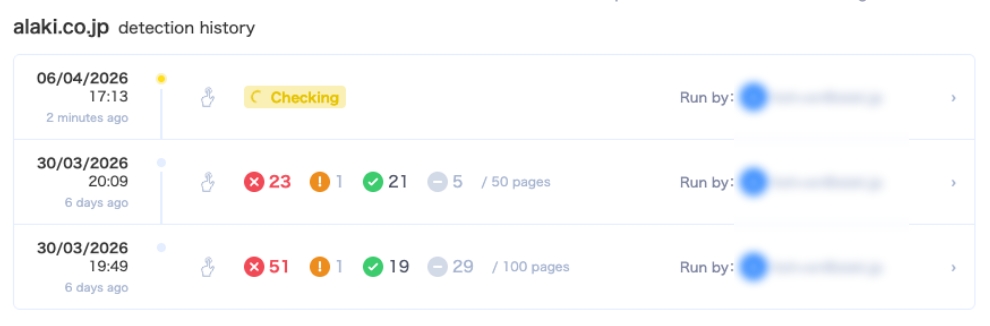
Keep a history to eliminate unknown issues.
All detected issues are stored as history,
making root cause analysis easy.
\Detect issues for free/

Limitations
- ・
This feature helps identify issues on your website, but does not guarantee detection of all issues, bugs, tampering, or vulnerabilities.
- ・
This feature does not guarantee prevention or resolution of viruses, unauthorized access, data breaches, or other security incidents.
- ・
Checks are limited to web pages accessible by MONJI+.
- ・
Pages requiring login or access restrictions may be excluded or partially limited.
- ・
Some pages or issues may not be detected accurately depending on your website’s structure and configuration.
- ・
Running checks generates access similar to normal web browsing.
- ・
Detection is limited to websites you own or are authorized to use.
- ・
Results are provided as reference for improvement. Final decisions on actions and fixes are your responsibility.
Related features
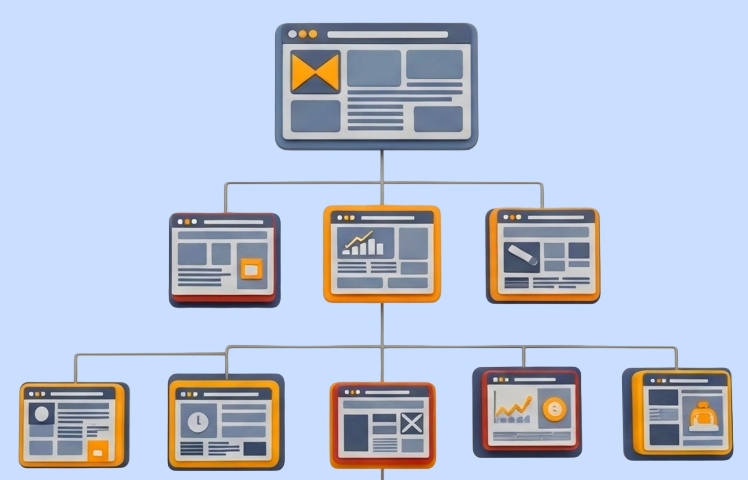
Sitemap※Coming soon
Just import an XML sitemap or CSV to automatically generate your sitemap.
Manage feedback, wikis, and assets more efficiently on a page-by-page basis.