











Public link for feedback (with password)
Share and view feedback even with people outside your team or project—no MONJI+ account required.

 Born from the MONJI egg program
Popular in the MONJI beta for easy sharing and smooth reviews
Developed with our users in the MONJI egg program
Now even more useful and released as MONJI+
Developed with our users in the
MONJI egg programNow even more useful and released as MONJI+
Solves the pain of sharing feedback

before
Too many collaborators—sharing alone is a struggle


 Each project involves different members.
Inviting them to teams or projects every time is a hassle.

after
Just send a URL and password.
Reviews run smoothly.

before
Clients won’t create an account
- “Too much work” or “Tool restrictions at their company”
Account creation often becomes a barrier. - Without an account,
you end up managing feedback in Excel or PowerPoint.
after
Viewable without an account.
Password-protected for peace of mind.

before
Need to share with external collaborators
- It’s tough to ask contractors or freelancers
to register an account just to review feedback. - You don’t want external collaborators
seeing anything beyond the feedback.
after
Eliminate the friction
and the worry.
Useful across every stage of website operations
- DevelopmentShare feedback easily without inviting every collaborator into the team or project.
- TestingClients can view feedback even without a MONJI+ account.
- Improvement & UpdatesGroup improvement ideas as feedback and share smoothly with large audiences.
A new MONJI+ sharing flow where anyone can view feedback
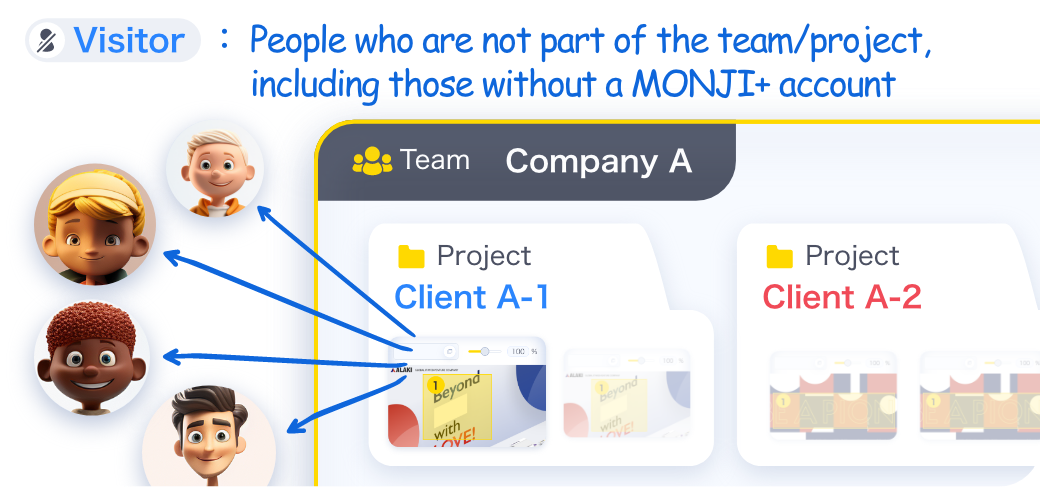
Even without a MONJI+ account, users can view feedback as a  Visitor
VisitorEasily share with clients and external collaborators—no account creation needed.
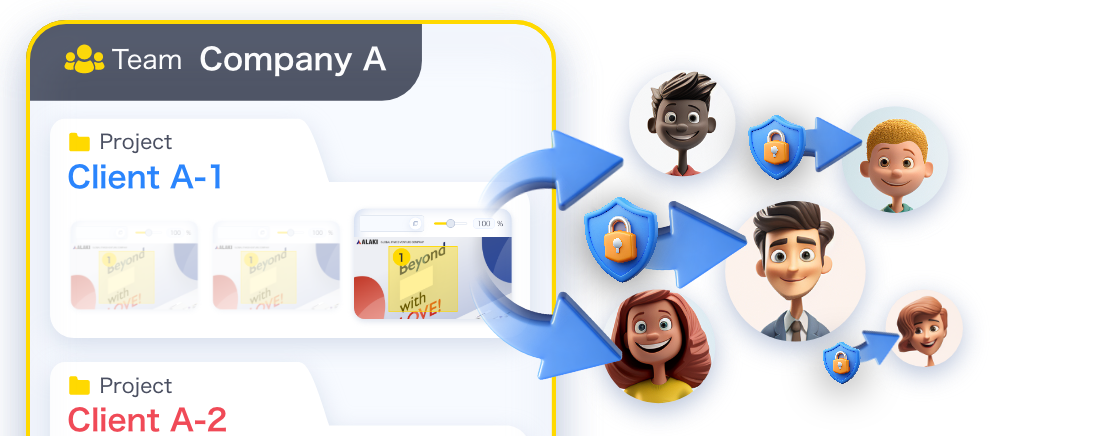
Even those not in your  Team/
Team/ Project
Team/Projectcan view feedback as a Visitor
VisitorWhen collaborators differ by project,
you can share instantly with no signup or invites.
you can share instantly with no signup or invites.
Easy to share—yet still secure
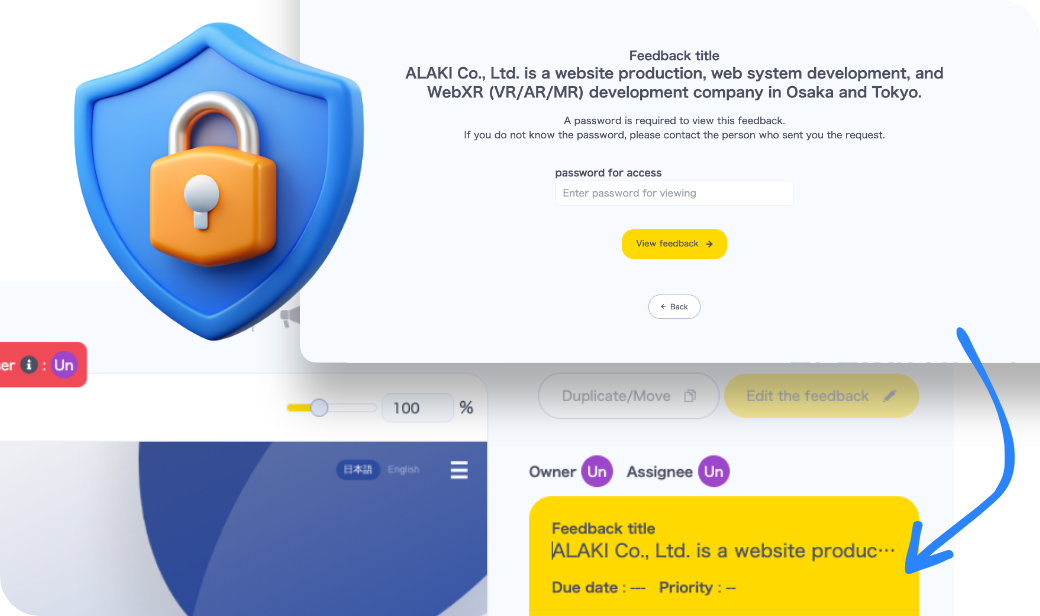
Password-protected link sharing for peace of mind
To address concerns like “Anyone with the link can see the Feedback,” we offer password protection as a standard feature.
Both the link and the password are required, balancing ease and security.
Both the link and the password are required, balancing ease and security.
※ You can enable or disable passwords for each Feedback.
Share confidently with properly configured Visitor permissions
Visitor permissionsWhat a Visitor can do
Visitor can do- View feedback
- Filter and sort feedback comments
- Track comment progress
 Visitors cannot see your Team/Project names or any
  Member/
 Guest
Guestusernames, icons, email addresses—none of this is shown.
Your sharing stays safe and private.
Your sharing stays safe and private.
Share with anyone, no seat limits
You can share feedback with unlimited Visitors
VisitorsVisitors are not counted toward the plan-based limits forTeams with Members and Guests — they’re excluded from the limit.This means you can share feedback without worrying about the limit on Team Members or Guests,
Team Members or Guests,and send them to as many people as you need.
Related features
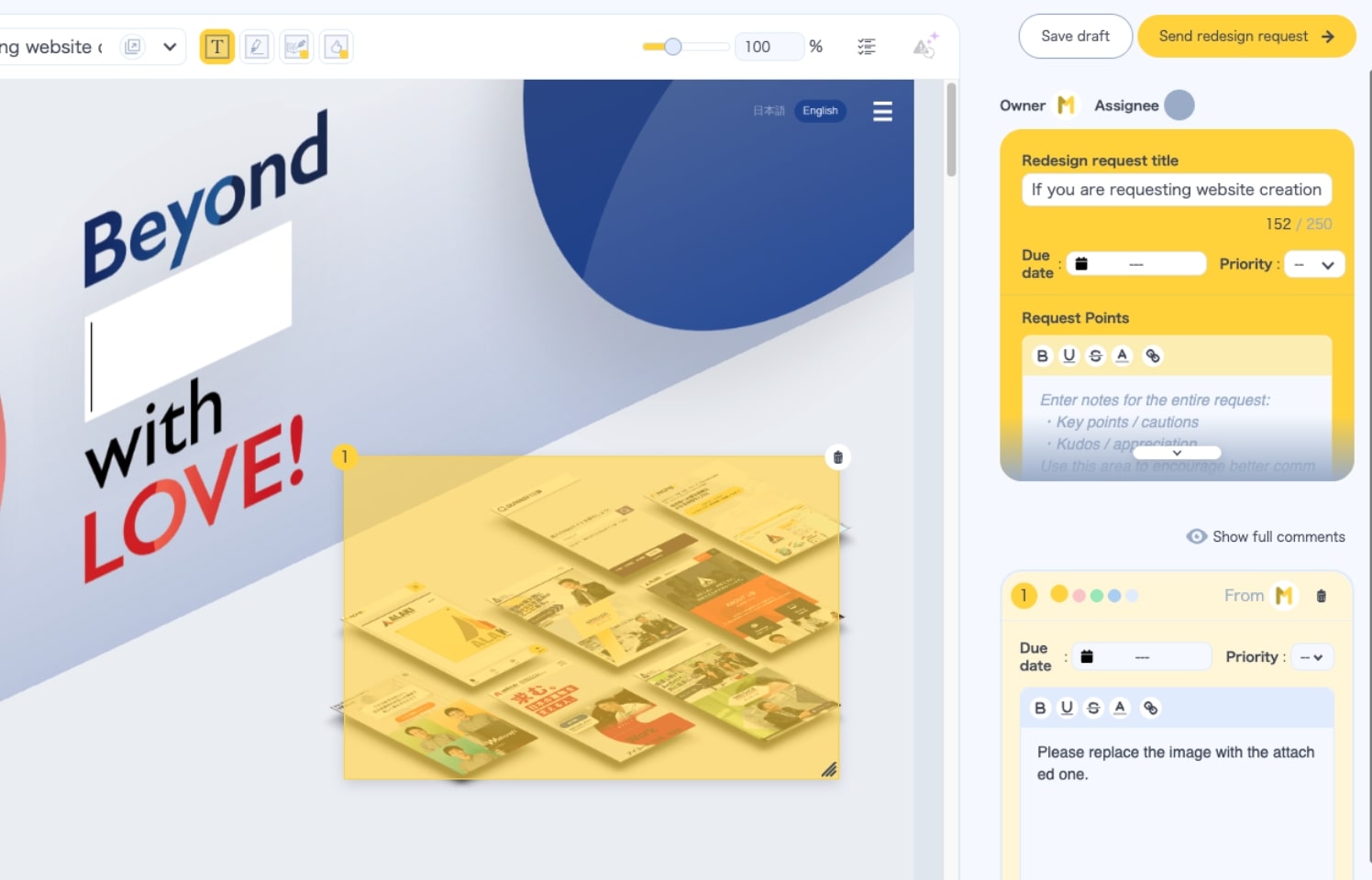
Feedback
Load a URL and comment right in the browser. Manage edits, details, and progress in one place.
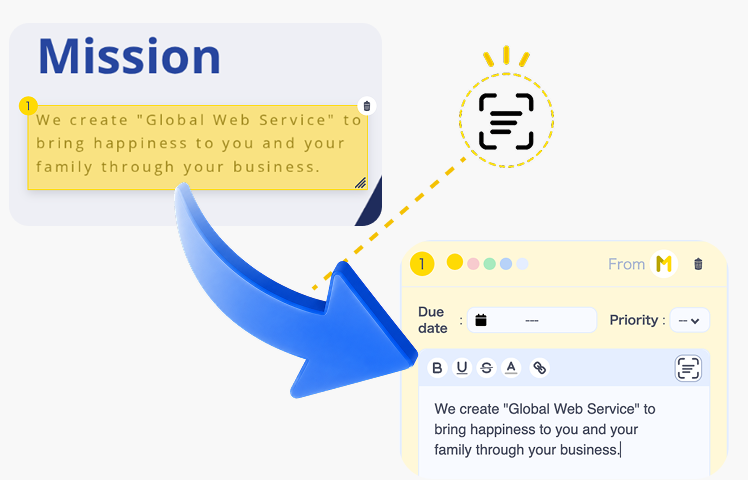
Text Scan
Read the text inside an image, review it, then turn it into a feedback comment—fewer transcription steps and typos.
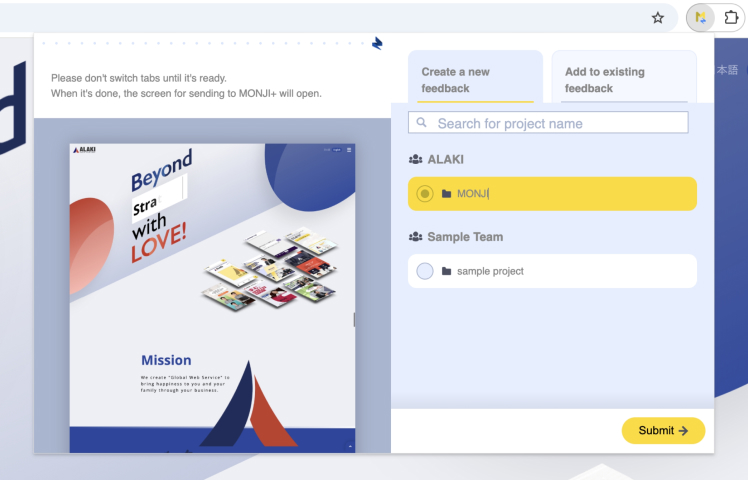
MONJI-izm (Chrome extension)
Works on pages behind login too—faster, smoother feedback.
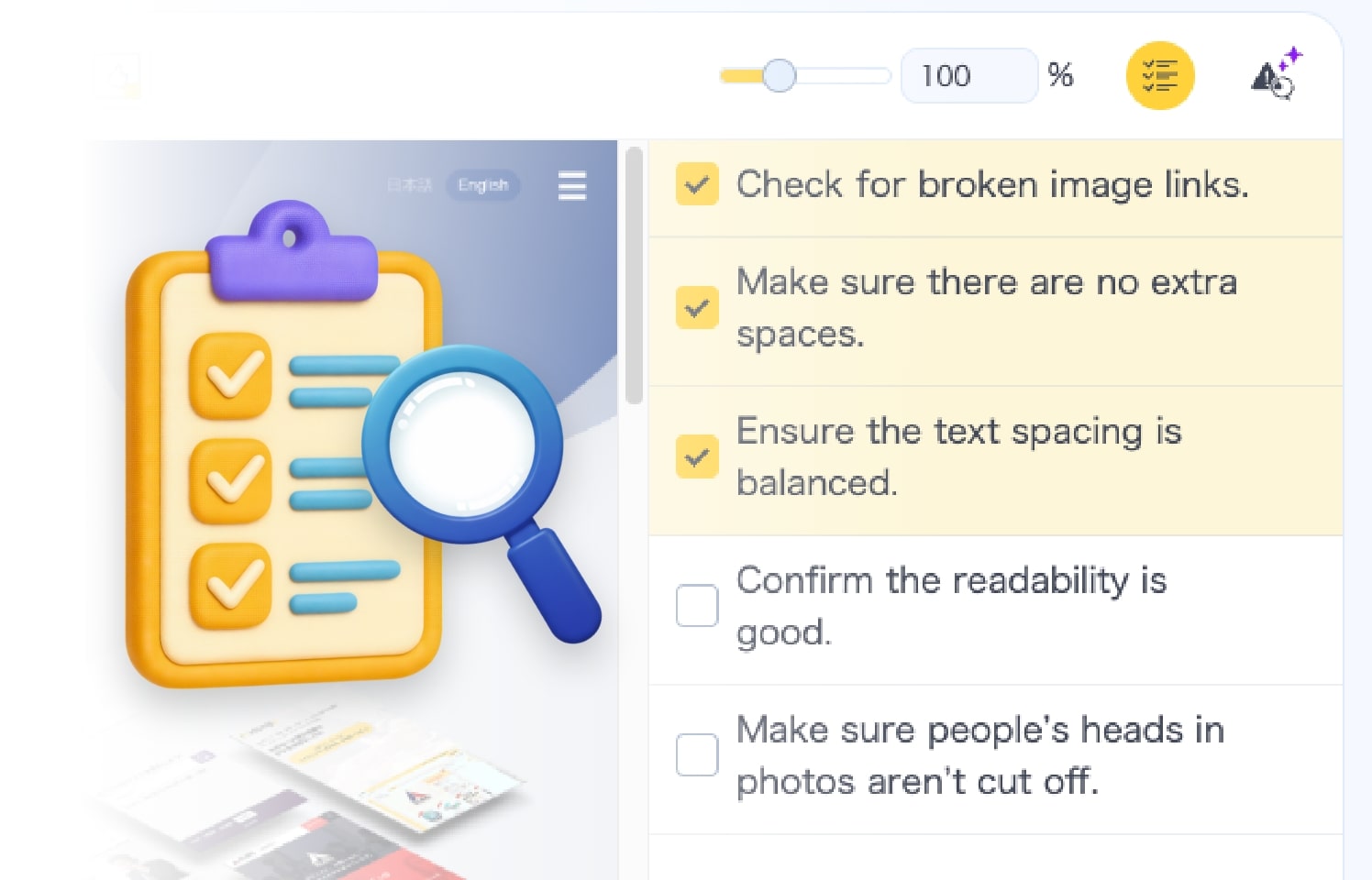
Checklist
Build feedback alongside a checklist. Keep deliverables at consistently high quality.
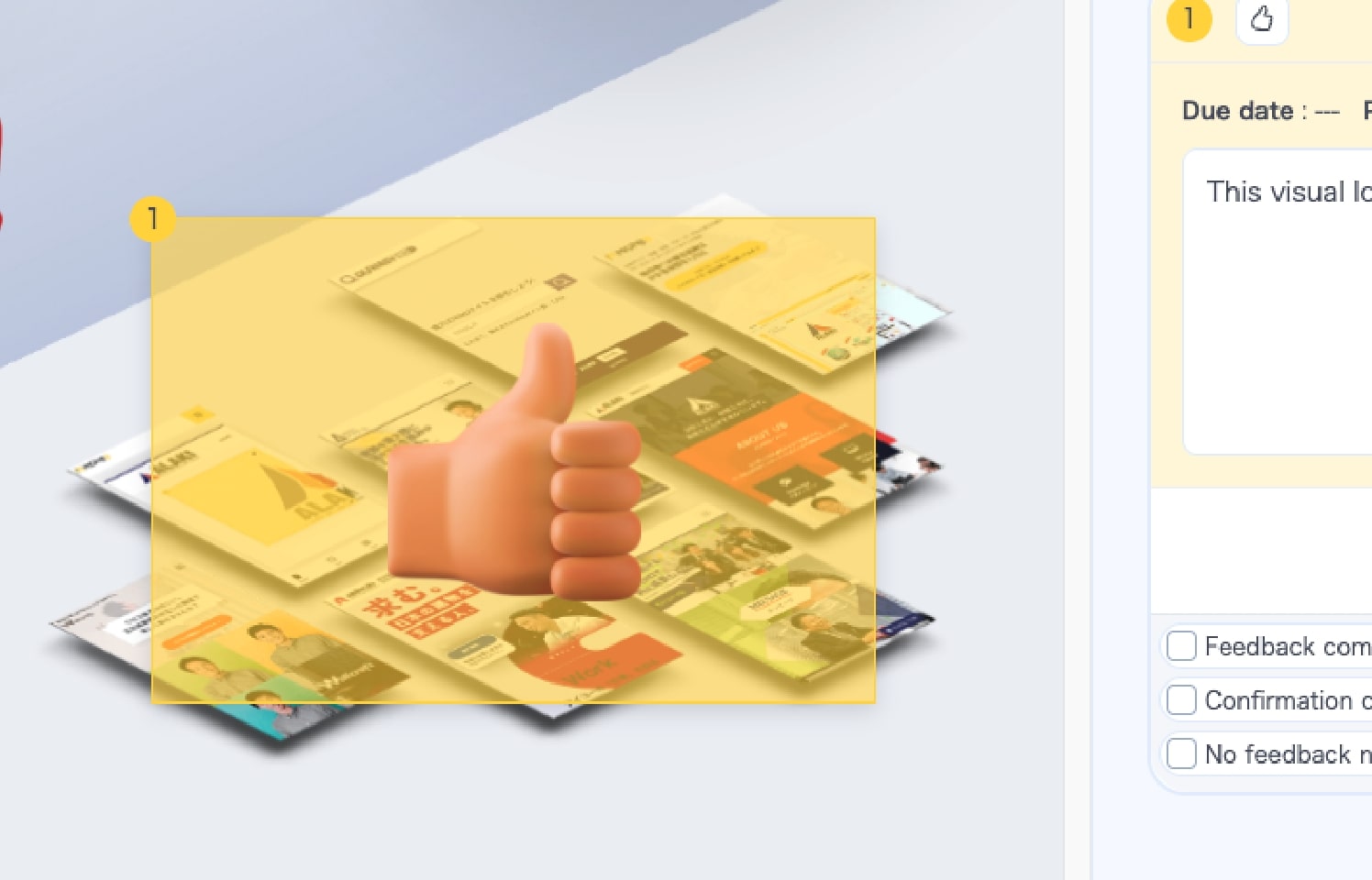
GoodJob
Send three-tier stamps—Excellent, Great, Good—to celebrate great design.
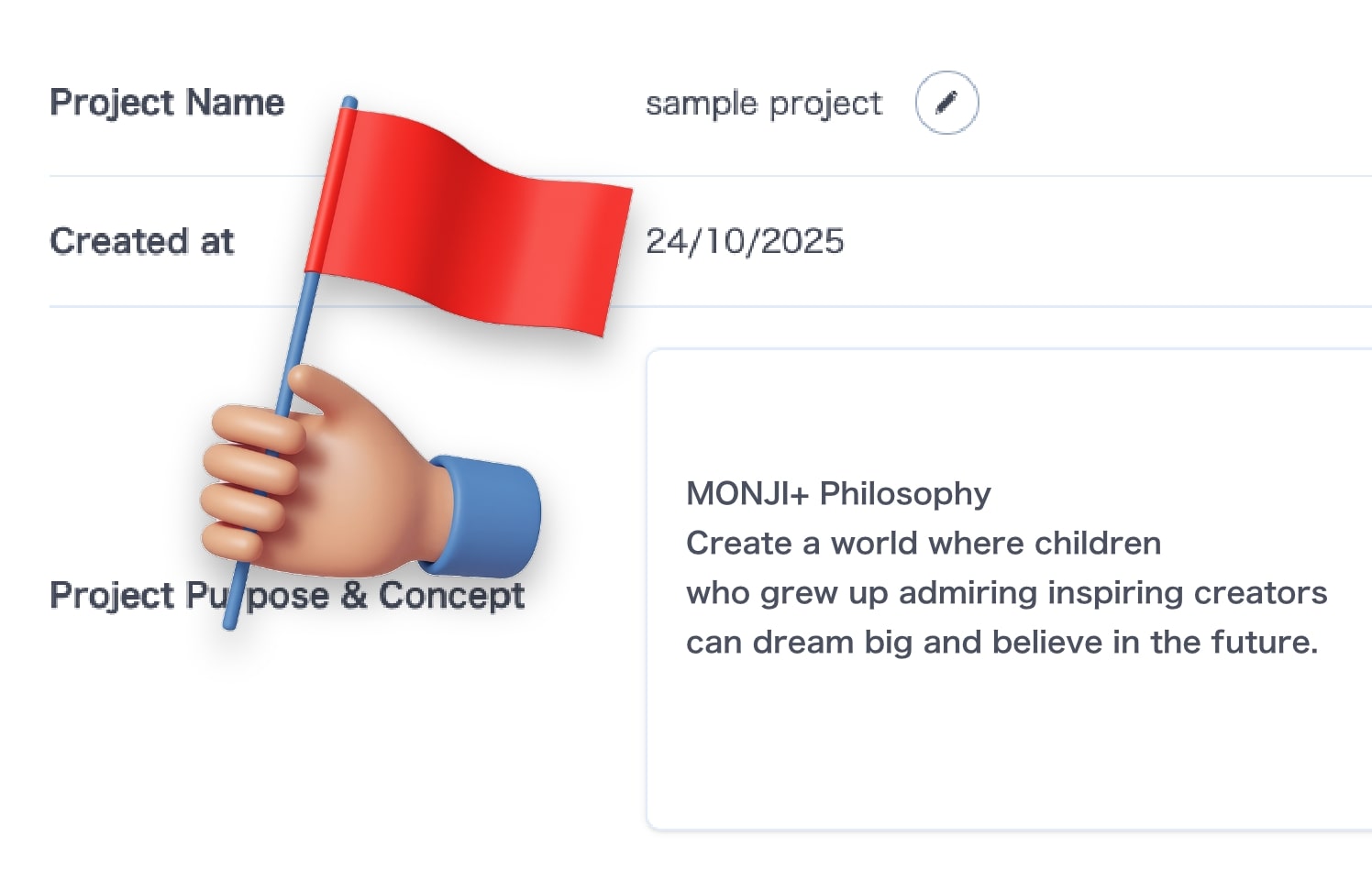
Project purpose and concept
Document and share with the whole team. A clear goal keeps everyone moving forward.